Choose threads for a photo pattern
Choose a thread brand, matching method, and which kinds of thread to include.
Steps
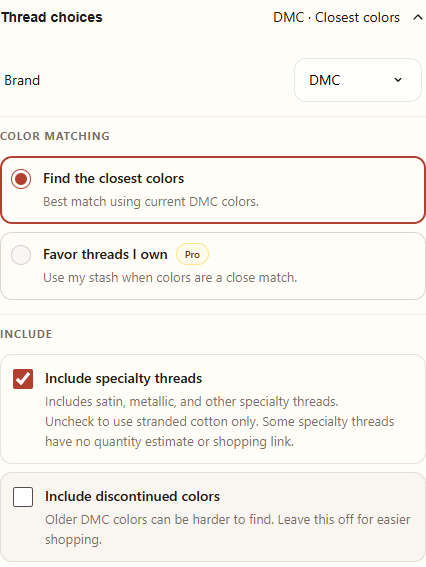
- On Create, open Thread choices. Choose a Brand from the available list.
- Choose Find the closest colors for the closest available matches. With Pro, Favor threads I own can favor colors in your Stash when they are close matches.
- Under Include, choose whether to include specialty threads and discontinued colors.
- Generate or regenerate the pattern. Open Thread choices again to review the resulting colors and the Stash coverage.
Understand the choices
Favor threads I own is not a promise that the whole pattern will use only your threads. Add the threads you actually own to Stash first, and check the resulting list for colors you still need.
Specialty threads include satin and metallic varieties. Turn this option off to use stranded cotton only. Some specialty threads do not have a shopping link. Discontinued colors may be harder to buy; leave them off if you prefer easier shopping.
Read the color details
After generation, the coverage display shows how many pattern colors are recorded as on hand. Choose View color details to see the individual threads. A color appearing in the pattern does not automatically add it to your Stash, and the number of colors owned does not guarantee you own enough skeins.
If you change a setting after generation, the displayed color details belong to the previous result until you regenerate. For a quantity comparison, choose the saved pattern in the Stash Shopping List and review each row.