Back to Account & settings
Change language, theme, and display
Make the site easier to read and choose the measurements you prefer.
Steps
- Open the three-dot quick settings menu at the top and choose Settings, then Display & Accessibility. If you are signed in, you can also open Settings from the account menu.
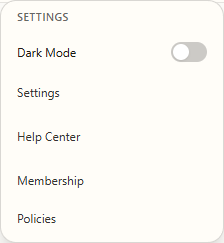
Open the three-dot menu, then choose Settings. - Under Display language, select English or Español. The page copy updates to the chosen language.
- Under Theme, choose Light, Dark, or System. System follows your device's appearance setting.
- Choose Inches or Centimeters under Measurement units. Use Reduced motion if you prefer less movement on screen.
Other display choices
- Grid density changes how many cards appear in each row of the Community gallery and Library. Card details changes how much information appears on pattern cards.
- These choices change how information is presented. They do not change your pattern or its stitch count.