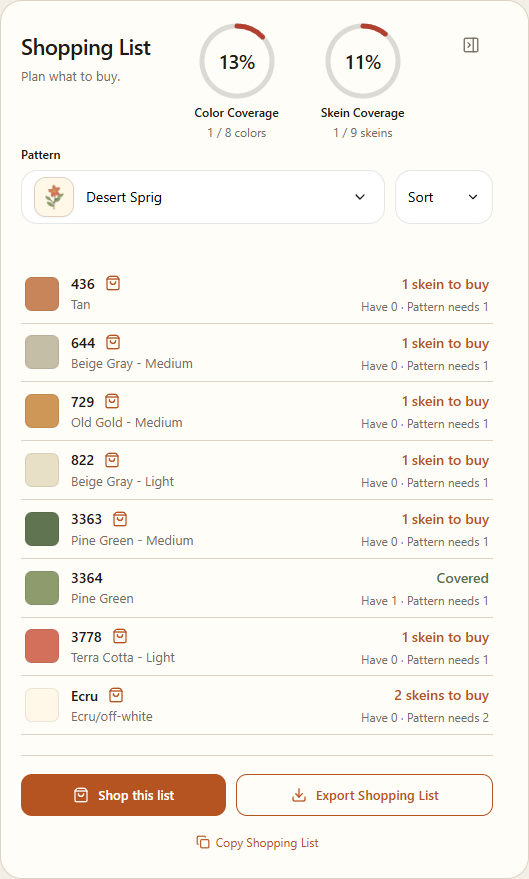
Compare a pattern's thread list with your inventory before shopping.
Steps
Open Stash and find Shopping List next to My Inventory. If the panel is collapsed, expand it.
Under Pattern, choose a saved pattern or an available editor draft. The list compares its threads with the quantities in My Inventory.
Read Have and Pattern needs on each row. A row may show how many skeins to buy, Covered, or Check quantity.
Choose Copy Shopping List to copy items you may need, or Export Shopping List to download them. These actions are unavailable if every quantity is covered.
Example: the shopping list compares a pattern with the threads in your inventory.
A quantity estimate is not available for every thread. Check those amounts yourself; the color on screen is only an approximation.
Shopping online is optional
Choose Shop this list to open the shopping guide. Choose a store, then use Copy list & open store or Copy colors & open store when available. The guide copies the list and opens the store; it does not place an order for you.
At the store, check the colors, quantities, price, and availability yourself. If the browser blocks the new tab or copying fails, follow the message in the shopping window.