Back to Exporting & printing
Use the Seller Export Kit
Pro members can prepare a branded pattern package for customers.
Steps
- Open Export Pattern and select Seller Export Kit. Creating the kit requires Pro. On Free, you can see the Pro option and use Standard PDF.
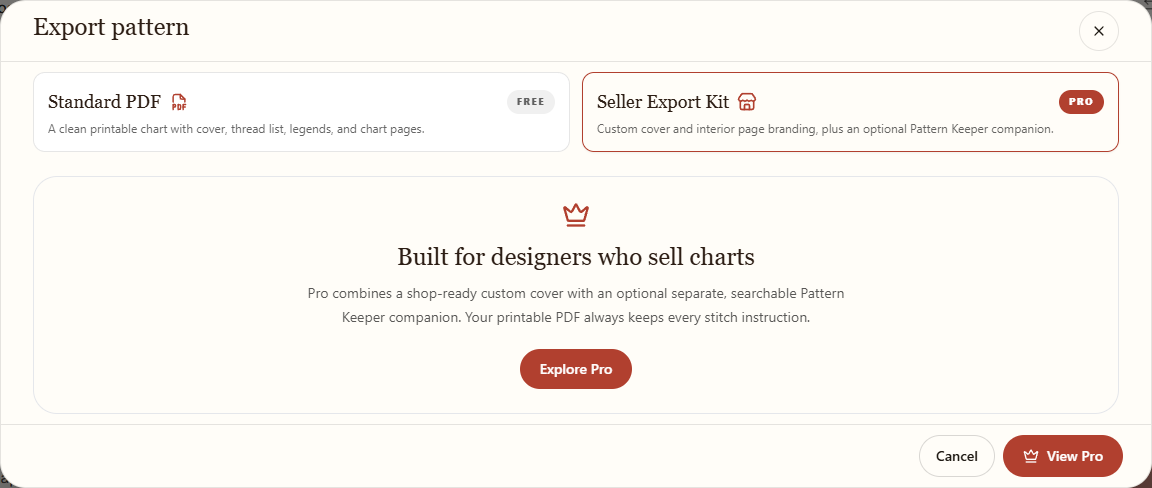
On Free, the seller kit is shown as a Pro option. - Enter your Seller / studio name for a branded PDF or cover. Add optional details such as a logo, copyright line, and links. Links must use complete HTTPS addresses. Review the cover preview and choose the paper and chart settings.
- Under Package files, select the files you need: a branded printable PDF, a standalone cover, or the optional Pattern Keeper companion.
- Review the selections and download. One selected file downloads directly; multiple files download together in a ZIP. Open the files and check them before sharing or selling.
About Pattern Keeper
The companion is a separate beta PDF for Pattern Keeper. The app checks compatibility before export; some patterns cannot use this option. Half stitches, backstitch, and French knots may be omitted from the companion. Read and acknowledge any warnings. The branded printable PDF retains the complete stitch instructions. Check the companion after importing it into Pattern Keeper.